Beauty Camera - Selfie Camera
- 4.5
- Rating
- 10.00M
- Installs
- Free
- Price

 Analysis by App-foxy
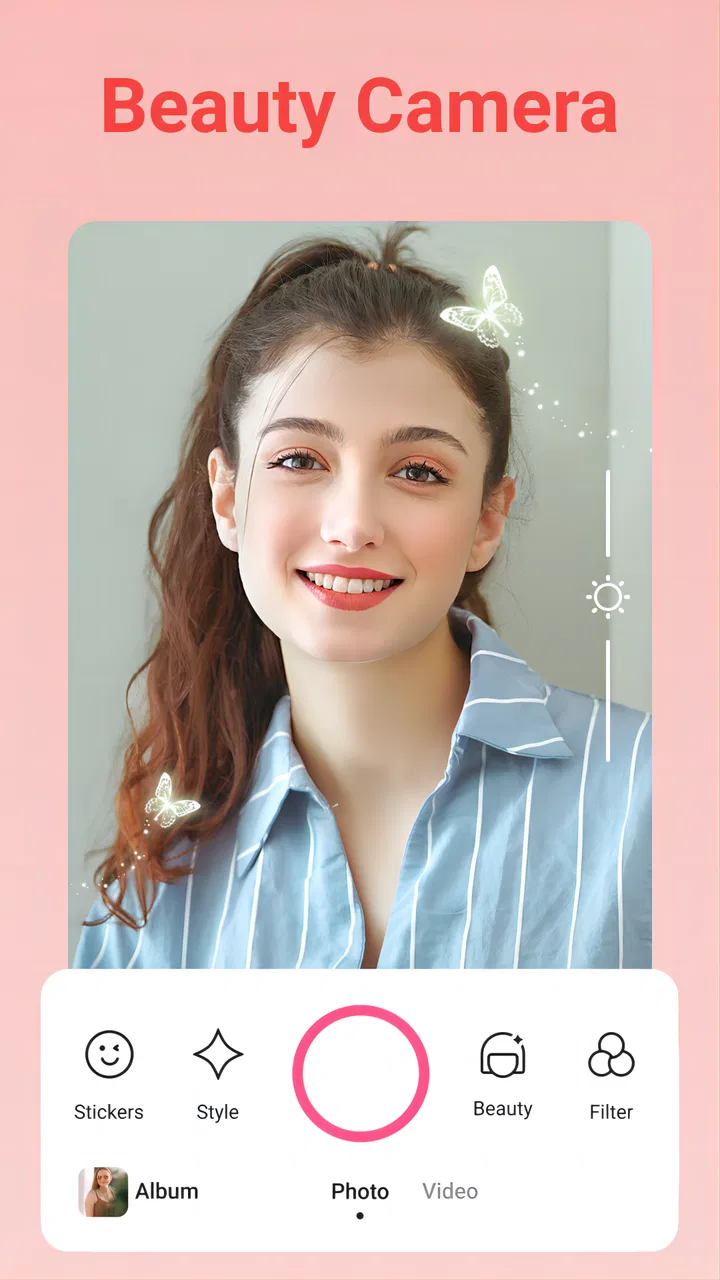
Beauty Camera - Selfie Camera is the kind of beauty app I open when I want a quick improvement to a selfie without spending time learning a full photo editor. It focuses on taking or preparing portraits with makeup effects, stickers, and filters, so the experience feels more immediate than a traditional editing suite. I found it most useful for casual profile pictures, group chats, social posts, and those moments when the lighting is acceptable but my face looks flatter or more tired than it did in the mirror.
The app comes from Coocent and sits in the beauty category. It is free to install, rated for Everyone, and available on devices running Android 8.0 or later. Its average rating is 4.5 from around 13 thousand ratings, while the app has passed 5 million installs. Those figures suggest that it has found a broad audience, but they do not change the main question I would ask before installing it: do you want quick, playful portrait adjustments, or do you need precise control over every part of an image?
Where the first-use experience can become confusing
The biggest source of friction with a beauty camera is usually not the effect itself. It is understanding what happens before the photo is taken, what can be changed afterward, and whether an effect is intended to look subtle or deliberately stylized. With this app, I recommend taking a quiet minute to look around rather than immediately tapping every visible option. A beauty camera is much easier to judge when you know whether you are previewing a live look or editing a finished picture.
You May Also Like

 AccuWeather: Weather Radar
AccuWeather Review: A Quick, Clear Forecast for Everyday Decisions
For everyday plans, the best forecast is the one you can understand quickly. AccuWeather makes rain timing, radar, and local conditions easy to act on, with a few trade-offs.

 Hill Climb Racing
Why Hill Climb Racing Still Turns Crashes Into One More Run
A tiny car, a bumpy hill and one more upgrade: Hill Climb Racing keeps resurfacing because its simple chaos makes every near-miss feel personal.

 AliExpress - Shopping App
AliExpress Makes Global Shopping Feel Personal, but Shoppers Bear the Risk
AliExpress turns a global marketplace into a pocket-sized discovery engine. Its reach is useful, its shopping loop compelling, and its trade-offs easy to miss.

 Lords Mobile: Kingdom Wars
Lords Mobile Is a Kingdom-Building Routine, Not a Quick Match
A case-by-case verdict on the building, battles, device demands, and social commitments that make Lords Mobile rewarding for some players and exhausting for others.

 PDF Scanner app - TapScanner
TapScanner Makes Paperwork Easier to Capture, Check, and Share
TapScanner makes scanning with a phone feel less like a rescue operation and more like a dependable step in getting work done. Its capture tools are useful, though not flawless.

 Block Blast!
 Shows How Much a Puzzle Game Can Leave Out
A quiet grid game shows why puzzle players increasingly value instant clarity, repeatable skill and low-pressure play—and where the genre still needs to catch up.
More From Our News Desk
View All News


That distinction matters in everyday use. If I am preparing a quick selfie before leaving home, I want to see the result while framing my face. If I am fixing an older photo, I want a workflow that starts from the image rather than forcing me to recreate the shot. Moving too quickly between these two purposes can make the app feel less predictable, even when the underlying tools are working normally.
The same applies to stickers and makeup effects. They are entertaining when I want a noticeable change, but they are not automatically suitable for a professional headshot or a natural-looking family photo. I get better results by treating them as separate moods: filters for atmosphere, makeup for a polished portrait, and stickers for playful images. Combining everything at once can make the final picture look busy and can hide whether the original lighting was actually the problem.
My first practical tip is to begin with one adjustment at a time. I take a plain test selfie, apply a restrained look, and then compare it with a stronger style. That makes it easier to recognize when the effect has gone too far. It also prevents a common mistake with beauty apps: assuming that a more dramatic preview is automatically a better portrait.
What I check before blaming the app
When a selfie looks soft, dark, or oddly colored, I first check the room and the phone rather than assuming the app has failed. A lens with fingerprints can make every filter look weak. Backlighting can make facial details disappear. A screen set very bright can also make a saved image seem darker later, even though the file itself is fine. These are simple checks, but they save time because camera results depend heavily on the starting image.
I also keep my face within the frame and avoid testing an effect while moving. Live beauty processing can look less convincing when the subject is turning quickly, hair is covering part of the face, or the room is too dim. For a fair comparison, I stand near a window, keep the phone steady, and take two versions with the same expression. This gives me a much clearer sense of what the app is changing.
Another useful habit is to test the front camera and the rear camera separately. A front-facing camera is convenient for self-portraits, but the rear camera may produce a different perspective and a sharper result on some phones. If one view looks disappointing, that does not automatically mean the beauty tools are poor. The camera hardware, focus behavior, and distance from the face can have a larger effect than the selected filter.
For users who are unsure whether the app will run on their phone, the minimum requirement is Android 8.0. I would still leave enough free storage for ordinary photo work and close other demanding apps before taking a batch of pictures. I would not treat those steps as special requirements for this app; they are sensible preparation for any camera application that needs to display live previews and save images.
Setup checks that make the workflow smoother
After installing the app, I would start by confirming that the basic camera experience works before exploring decorative options. Open the camera view, frame a simple portrait, and take one unedited-looking test image. Then try a filter, followed by a makeup effect, and finally a sticker. This sequence isolates problems. If the camera view is already unavailable, changing a filter will not solve it. If the preview works but saving does not, the issue belongs to a later part of the workflow.
It is also worth checking the phone’s normal camera behavior. If the built-in camera cannot focus, freezes, or produces a black preview, another camera app may show the same symptom. Restarting the phone can clear a temporary camera conflict, especially after another app has recently used the camera. I prefer this basic check to repeatedly reinstalling the beauty app, because it tells me whether the problem follows the device or stays specific to one application.
Keep the first test uncomplicated. Use a single person, a clean background, and steady light. A complicated group photo makes it difficult to tell whether face effects are behaving naturally. Once the basic portrait works, I can judge whether the makeup and filter styles suit the kind of images I actually take.
Because the app is free, it is easy to try without committing to an upfront purchase. However, optional in-app purchases range from $0.29 to $49.99 per item. I would pay attention to any purchase screen and avoid assuming that every visual option belongs to the free experience. My approach is simple: use the free workflow first, decide whether the editing style fits my needs, and only then consider whether an additional item is worth paying for.
Recovering a workflow when something goes wrong
When a photo session fails, I recover it in stages. First I leave the camera screen and reopen it. If the preview returns, I take a single test shot rather than immediately attempting a long series. If the problem remains, I close other camera-using apps, restart the phone, and try again under better light. These steps are deliberately ordinary because they address the most common causes of temporary camera trouble without changing or deleting personal photos.
If the live preview works but the saved image is not where I expect, I check the phone’s usual photo gallery and give it a moment to refresh. I avoid taking many duplicate pictures until I know the save process is behaving normally. This is particularly helpful when I am trying several looks, because a crowded gallery can make a successfully saved image seem missing.
For a failed or disappointing portrait, I do not immediately repeat the exact same shot. I change one variable: move closer to a window, clean the lens, hold the phone farther away, or remove one effect. Then I compare the result. This method is more useful than randomly tapping filters because it reveals whether the weakness comes from lighting, framing, or the selected style.
A practical recovery workflow for me looks like this:
- Take a plain test selfie in steady light.
- Apply one filter and check whether the preview changes as expected.
- Add makeup only if the portrait still needs that specific treatment.
- Use a sticker last, so it does not distract from judging the face and lighting.
- Save one final version, then inspect it in the normal gallery.
This order has an advantage that is easy to overlook: it preserves a clean reference. Without that reference, it is hard to know whether a dramatic final result improved the photo or merely covered its original problems. It also makes it easier to recreate a style later without guessing which combination caused the look.
How I use it for real everyday situations
Imagine I am about to update a messaging profile picture before a video call. I do not need a complex retouching session. I stand facing a window, use a restrained beauty look, check that my eyes and hair remain recognizable, and save one portrait with a simple filter. If the image feels too artificial, I remove the filter before changing anything else. The goal is not to create a completely different face; it is to make the picture feel closer to how I look when I am well lit and ready.
For a birthday invitation or a playful group chat, I use the app differently. I might choose a more visible filter and add a sticker after the faces are framed correctly. The sticker works better as a finishing touch than as the starting point, because it can pull attention toward a corner of the image and make composition harder to judge. This is one of the app’s strengths: it lets a quick portrait move from ordinary to expressive without requiring a separate graphics editor.
For a work profile or application photo, I would be much more conservative. A light correction may be acceptable if the result still resembles the original, but decorative stickers and bold makeup effects are a poor match. In that situation, a standard camera followed by a precise editor is usually the better choice. Beauty Camera - Selfie Camera is designed around speed and visual style, not around the careful, neutral presentation that formal images often require.
When the app is not the cause
Some frustrations come from expectations rather than malfunction. A filter cannot create soft, flattering light in a room that is already very dark. Makeup effects cannot always handle hair crossing the face, unusual angles, or a group shot with several faces. If the result looks uneven, I first retake the image with a clearer view of the face instead of concluding that every effect is unreliable.
Phone performance can matter too. Older or heavily loaded devices may show a delayed preview, especially when several visual changes are active. I reduce the number of simultaneous effects, close background apps, and allow the camera view to settle before taking the picture. If the phone becomes warm or sluggish, I stop the session and let it recover rather than continuing to capture images that may not represent the app fairly.
Storage is another easy-to-miss factor. A camera can appear to work while saving becomes unreliable when the phone is nearly full. Before an important photo session, I check available space and clear unwanted duplicates from the gallery. This is not a Beauty Camera-specific trick, but it is a sensible part of using any app that creates image files.
I also avoid judging a saved picture solely from the live preview. Preview images are viewed on the phone screen under current brightness and lighting conditions, while the saved file may be opened later in a different app or shared to a different screen. I inspect the final image at normal size before deciding that a filter is too strong or too weak.
Who will enjoy it, and who should choose another tool?
I think this app suits people who want a quick selfie workflow with beauty styling, filters, and stickers in one place. It is especially approachable for casual users who do not want to learn layers, masks, curves, or detailed retouching controls. The free entry point makes it easy to test, and the Everyone rating keeps its intended audience broad.
I would point a friend toward it for social portraits, informal invitations, travel snapshots, and playful self-expression. It is also useful when the main goal is speed: take a photo, choose a look, add a small decorative element, and move on. The app’s appeal is less about technical perfection and more about reducing the distance between an ordinary selfie and a shareable one.
I would recommend a different option to someone who needs exact skin-tone control, selective retouching, detailed color correction, or serious before-and-after consistency. A conventional photo editor is better for those jobs. I would also skip this app if I dislike beauty filters in general, because its central purpose is to make portrait styling quick and visible rather than completely invisible.
Another trade-off concerns creative control. The simpler workflow is a strength when I am in a hurry, but it can feel limiting when I know exactly which part of an image needs correction. I cannot expect the same precision from a fast beauty camera that I would get from a dedicated editor. The right choice depends on whether convenience or fine control matters more for the picture in front of me.
My practical verdict after using the app
Beauty Camera - Selfie Camera works best when I treat it as a fast portrait companion rather than a complete photography studio. Its combination of makeup looks, filters, and stickers makes casual editing approachable, and the free installation gives users a low-risk way to see whether the style matches their taste. Coocent has aimed this app at quick results, and that focus is clear in the way I use it.
The most reliable results come from good preparation: clean the lens, use steady light, test one effect at a time, and inspect the saved image instead of trusting the preview alone. Those habits also make troubleshooting easier. If the camera still fails after ordinary checks, I look at the phone, storage, lighting, and other camera apps before blaming the beauty effects.
Version 1.4.1 is the current version, and the app remains free while offering optional purchases from $0.29 to $49.99 per item. I would keep that pricing range in mind before exploring paid-looking styles, but I would not let it overshadow the useful free starting point. Overall, I recommend it to anyone who wants fast, expressive selfies and does not need professional editing precision. For natural formal portraits or detailed image work, I would choose a more controlled editor instead.
FAQs for Beauty Camera - Selfie Camera
01What features does Beauty Camera offer for enhancing selfies?
Beauty Camera provides a range of features for enhancing selfies, including real-time beauty effects, skin smoothing, blemish removal, and teeth whitening. Users can also adjust the intensity of these effects to achieve a natural look. Additionally, the app offers a variety of filters and makeup options to further enhance your photos.
02Is Beauty Camera easy to use for beginners?
Yes, Beauty Camera is designed with user-friendliness in mind. Its intuitive interface makes it accessible for beginners, with easy-to-navigate menus and on-screen prompts. The app offers one-tap enhancements and automatic adjustments, allowing even novice users to quickly improve their photos without extensive editing knowledge.
03Does Beauty Camera require an internet connection to use its features?
Most features of Beauty Camera, including real-time editing and basic enhancements, do not require an internet connection. However, to access certain updates, additional filters, or to share your edited photos directly to social media, an internet connection might be necessary.
04Are there any in-app purchases or subscriptions in Beauty Camera?
While Beauty Camera is free to download, it does offer in-app purchases. These may include premium filters, additional beauty tools, and ad-free experiences. Users should review the app's pricing structure to understand any ongoing subscription fees or one-time purchase options that enhance the app's functionality.
05Is Beauty Camera available for both Android and iOS platforms?
Yes, Beauty Camera is available for both Android and iOS devices. Users can download it from the Google Play Store or the Apple App Store. The app is optimized for a wide range of devices, ensuring that users on different platforms can enjoy its features and enhancements without compatibility issues.
Pros
- Easy-to-use interface is beginner-friendly.
- Wide range of filters to enhance photos.
- Real-time editing for instant results.
- High-quality output without losing detail.
- Regular updates introduce new features.
Cons
- In-app ads can be intrusive to users.
- Some features require a premium upgrade.
- Consumes a lot of battery during use.
- May lag on older devices occasionally.
- Limited social media integration options.

Beauty Camera - Selfie Camera
Gallery